Get Started with Climate Engine
Welcome to the Climate Engine support site. Climate Engine provides free, public tools for accessing, visualizing, and analyzing Earth observation and climate datasets using cloud-based processing.
This site will help you:
- Access resources for the Climate Engine web app for interactive, no-code analysis
- Access resources for the Climate Engine API for programmatic access and automation
- Access resources for the Climate Engine reports for standardized summaries
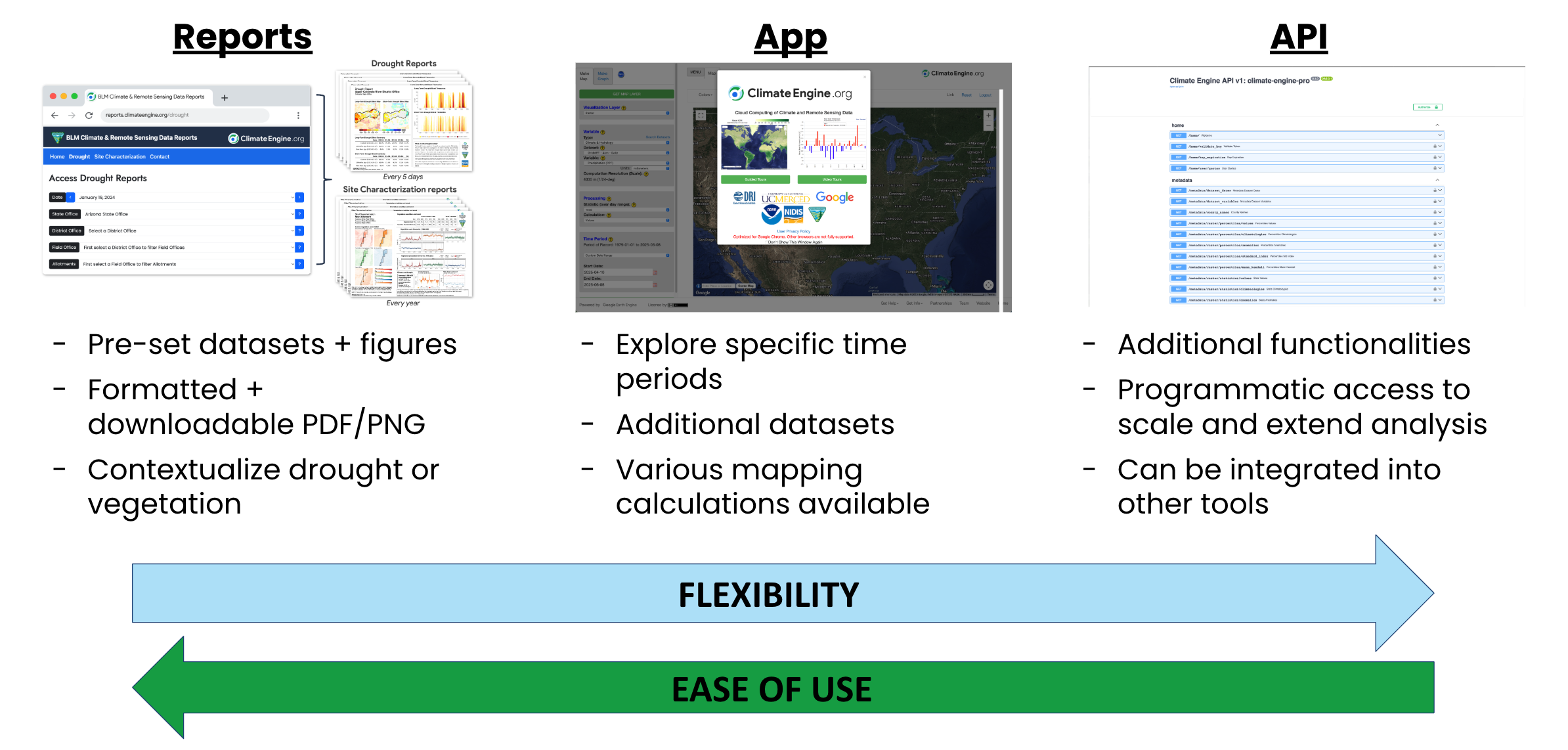
Use this page to orient to the site and follow the links into the workflows, tutorials, and detailed documentation sections.
Datasets & Metrics
Climate Engine brings together 90+ satellite- and climate-based datasets covering vegetation, drought, precipitation, temperature, snow, evapotranspiration, landcover, surface water, and more. These datasets are processed and analyzed using consistent methods, allowing you to compare indicators across space, time, and sources without additional preprocessing.
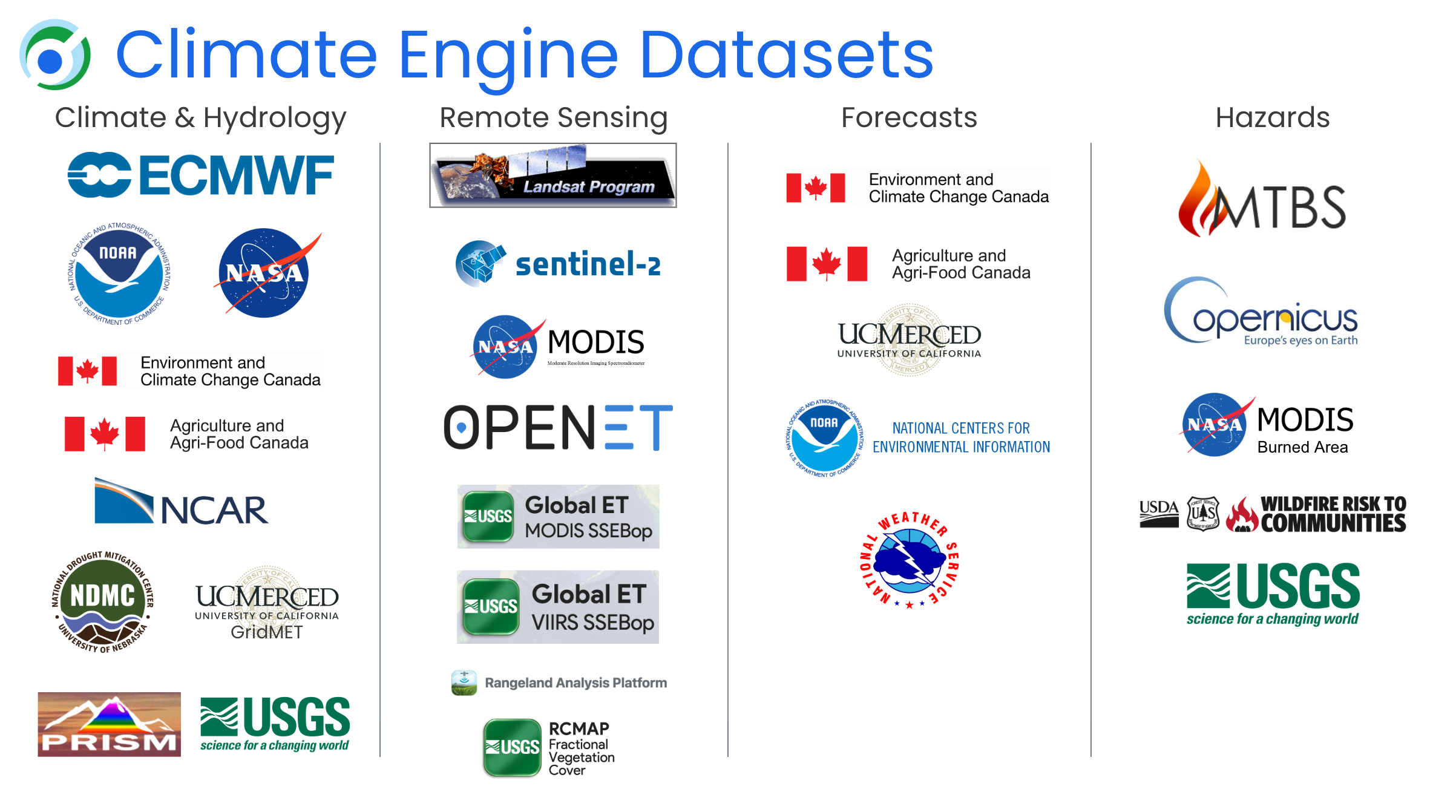
Most Climate Engine analyses revolve around derived metrics—such as vegetation indices, drought indices, anomalies, trends, percentiles, and water balance components—that provide important understanding of trends, change, and current conditions. The app, API, and reports draw from the same underlying dataset catalog and metric definitions.
On this site, you’ll find:
- Descriptions of each dataset and its spatial/temporal resolution
- Definitions of key metrics (e.g., NDVI, ET, SPI, EDDI, anomalies, trends)
- Guidance on when to use specific indicators for vegetation, drought, climate, and water analyses
- Examples showing how datasets and metrics pair with common workflows
Visit Datasets & Metrics to learn more.
Climate Engine Web App
The Climate Engine web app is the fastest way to begin exploring data—no coding required. You can generate maps, time series, trends, and statistics directly in your browser.
Typical tasks include:
- Exploring satellite and climate datasets across space and time
- Creating custom maps and performing timeseries analysis on-the-fly.
- Exporting figures and data for reports, presentations, or further analysis
Next steps
Climate Engine API
The Climate Engine API provides programmatic access to the same datasets and computations used in the app, enabling reproducible workflows, automation, and integration with other tools.
You can use the API to:
- Request maps, time series, and statistics from scripts or applications
- Automate recurring analyses and batch reporting
- Integrate Climate Engine outputs into dashboards and data pipelines
Next steps
Climate Engine Reports
Climate Engine reports provide standardized, repeatable summaries of conditions (e.g., drought, vegetation, climate) for defined areas such as grazing allotments, watersheds, or administrative units.
Reports are designed to:
- Summarize key indicators climate and remote sensing in a clear, consistent format
- Support decision-making for management, planning, and monitoring
- Scale consistent analysis across multiple units using the Climate Engine API
Next steps
Workshop Materials
This section provides training materials, hands-on exercises, and session recordings designed to help resource managers and applied researchers learn how to use Climate Engine tools in real-world decision-support contexts. Workshops are often organized around themes — such as drought monitoring, riparian assessment, upland vegetation analysis, or multi-indicator reporting — and include step-by-step demonstrations using the Climate Engine web application, API, and report generation system.
Workshops typically combine:
- Brief background and conceptual overview
- Demonstrations using relevant datasets and metrics
- Guided workflows that mirror operational tasks
- Downloadable slides, exercises, and video clips
- Links to related documentation throughout this site
Visit Workshop Materials to learn more.
Support & FAQs
If you run into questions while using Climate Engine, visit our Support & FAQs area with troubleshooting tips, answers to common user questions, and news about recent updates.
You’ll find:
- Troubleshooting guides for common errors
- Frequently asked questions about datasets, metrics, exports, and account features
- User-submitted questions with detailed explanations
- Updates on new features, datasets, and tool improvements
If you can’t find the answer you need, you can reach out to our support team. Your feedback helps us improve the documentation and prioritize enhancements to Climate Engine.
Visit Support & FAQs to learn more.