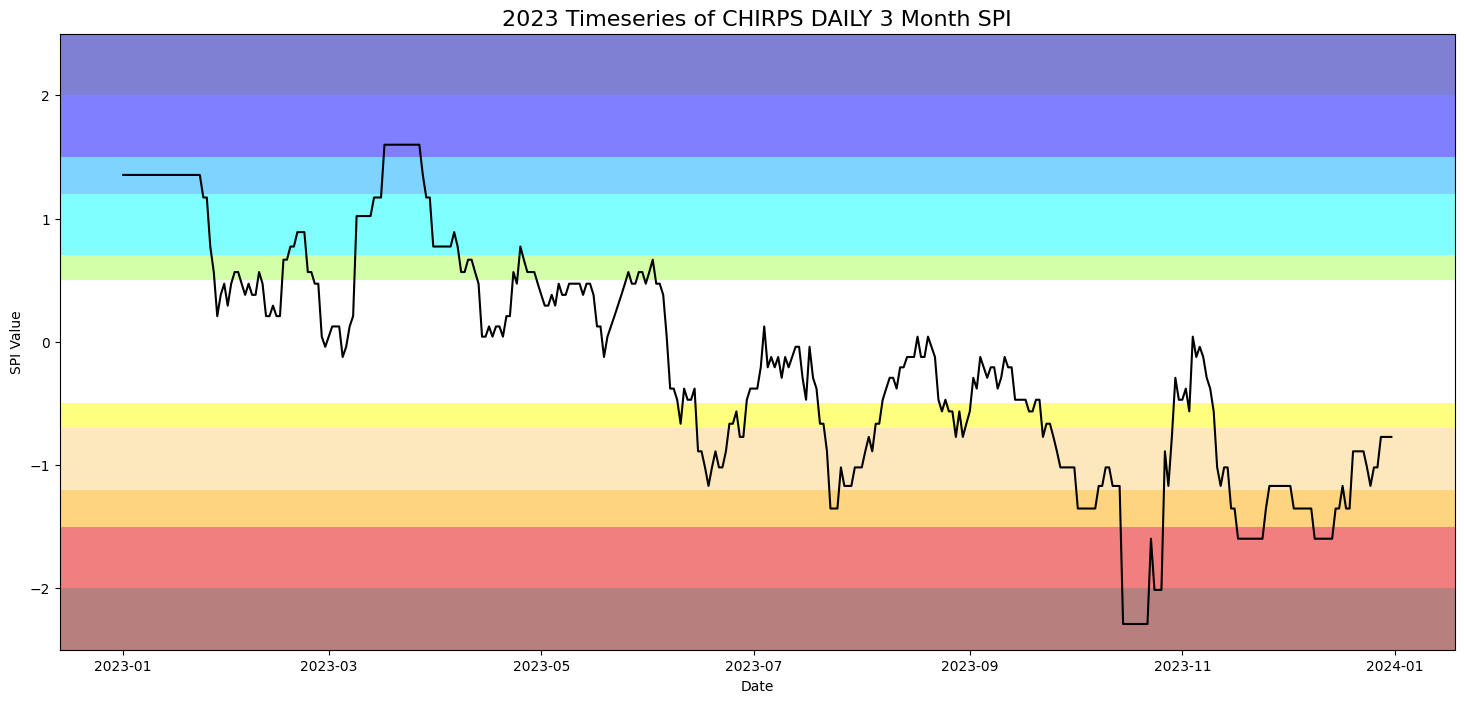
Drought indices timeseries outside conus
Interested in pulling drought timeseries data outside of the continental US? Follow this article to learn how using the Climate Engine API.
- Reach out to the Climate Engine team through this support site for an API key.
- Head to the Climate Engine Swagger Page at api.climateengine.org.
- Authorize with your API Key and use the home/validate_key endpoint to verify the key is working.
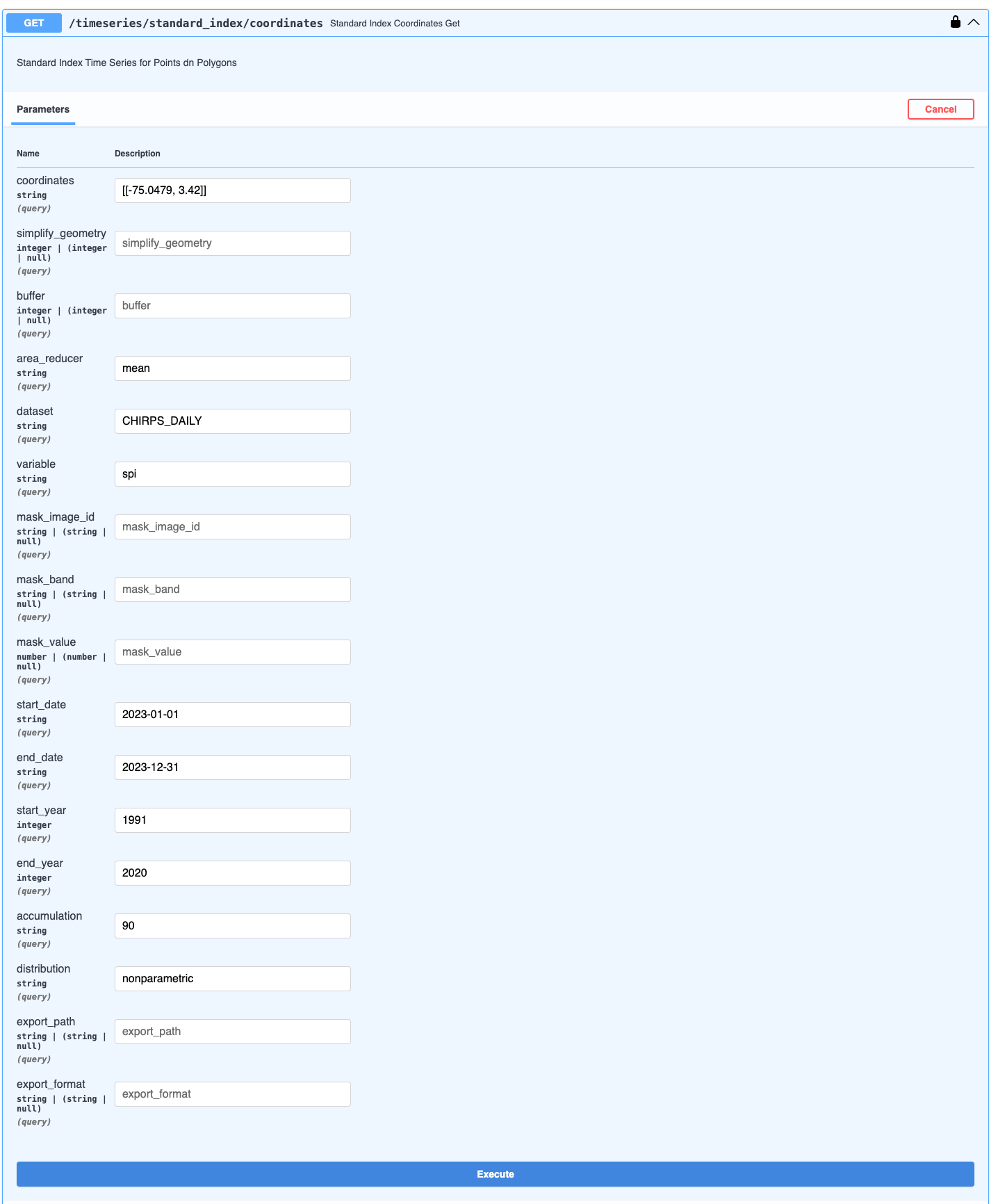
- Navigate to the timeseries/standard_index endpoints. For this example, we will use timeseries/standard_index/coordinates and a random point.
- Fill out the desired parameters and click execute. Use Endpoint Parameters for reference.
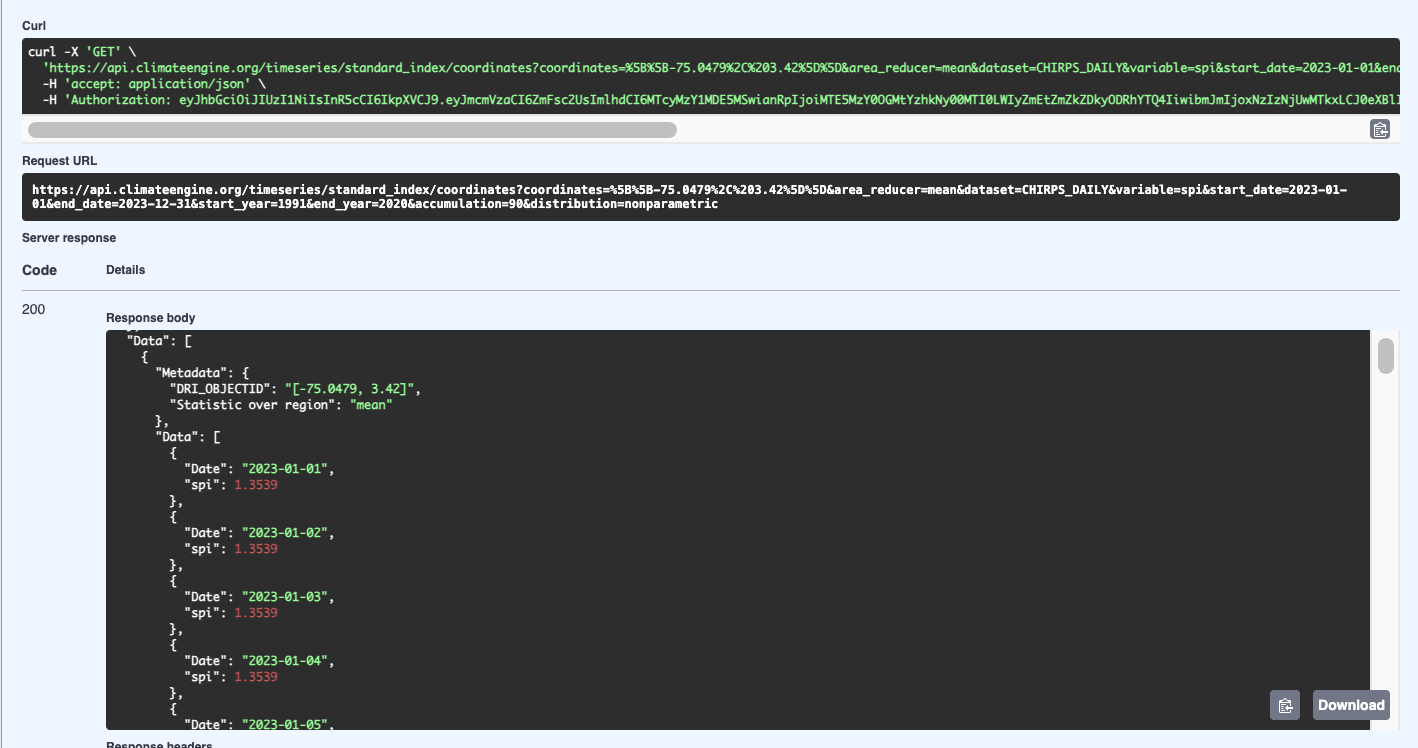
- Review the Response Body. If you want to download a json of the data, click the download button.
- If you are interested in accesing the data programmatically, you can send requests in scripts.
# Endpoint
endpoint = 'timeseries/standard_index/coordinates'
# Set up parameters for API call
Params = {
  'dataset': 'CHIRPS_DAILY',
  'variable': 'spi',
  'area_reducer': 'mean',
  'start_date': '2023-01-01',
  'end_date': '2023-12-31',
  'start_year': '1991',
  'end_year': '2020',
  'accumulation': '90',
  'distribution': 'nonparameteric',
  'coordinates': '[[-75.0479, 3.42]]'
}

# Send request to the API
r1 = requests.get(root_url + endpoint, params = params1, headers=headers, verify=False)
response = r1.json()
- You can then process and plot the output.